
Generate documents in chat
The Generate documents tool lets an agent create editable Word, Excel and PowerPoint files, as well as PDF output. It appears only when your administrator has enabled document generation and its supporting services. It is not included in trial access.
Create a document
- Choose an agent with Generate documents.
- Describe the purpose, audience, format and content.
- Supply source files and say which facts to use.
- Name the required output format.
- Review the result card and download the file.
Create a PowerPoint presentation from the attached analysis for the executive team.
Use eight slides. Start with an executive summary, show the three main risks,
and finish with decisions. Use only figures found in the source.
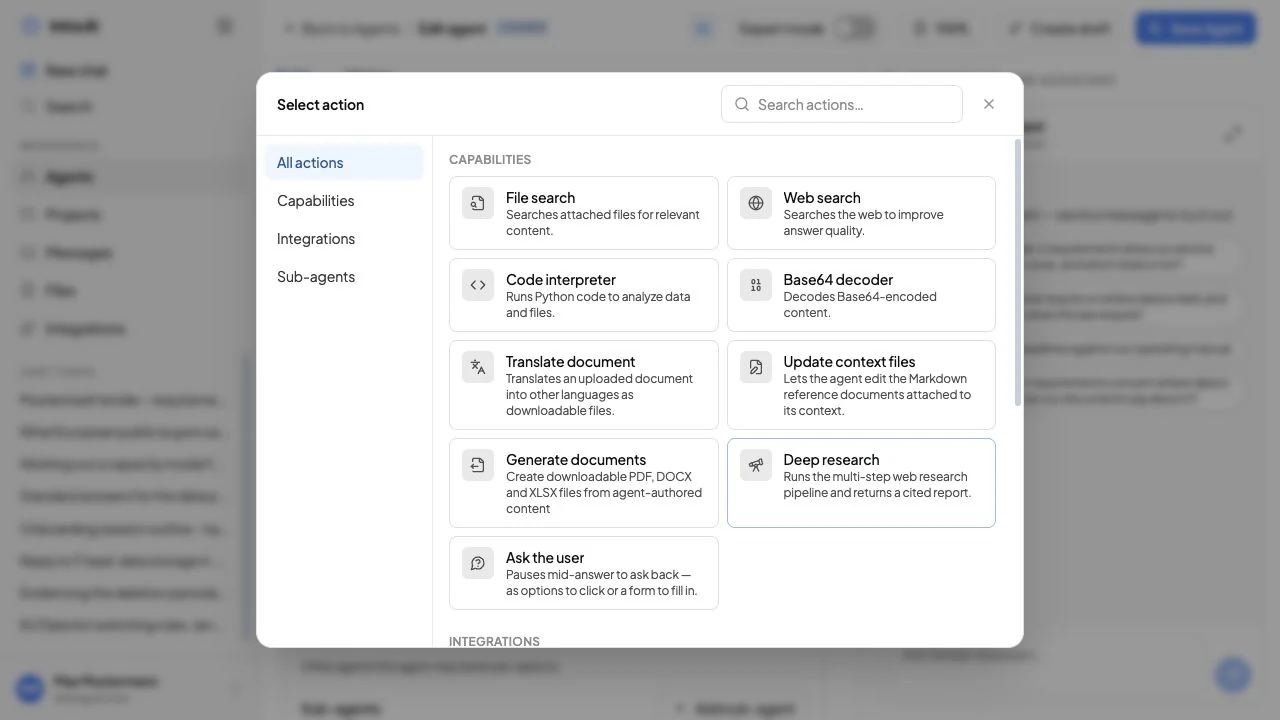 Generate documents in the agent action picker
Example instance with sample data. Available controls depend on your role and configuration.
Templates and design
Your instance can provide document templates with letterheads, fonts or slide layouts. Agents can have their own approved templates. If none is suitable, generation uses the configured default layout.
A template controls presentation, not factual accuracy. Check names, figures, dates, formulae, page breaks and sources before external use.
Revise and keep versions
Ask for a specific change in the same chat, such as “Shorten slide 4 and replace the table with a bar chart”. A revision creates a new version linked to its predecessor; it does not overwrite the earlier file. Download the version you want from its own result card.
Result cards
The card shows the filename, format, generation status and available actions. Supported formats may offer a preview. If conversion or quality checking fails, the interface reports an error rather than presenting a file as finished.
Versions, editing and other download formats
Open the generated file in the artifact panel. Where you own the document and the version information is accessible, Versions lets you select an earlier result. Check the version number before downloading; an old card still refers to its own version.
Edit is offered only for the latest editable version. It opens the underlying source, which may be Markdown, structured spreadsheet data, template fields or code. Use this editor only when you understand that source format. Saving creates another version. If another revision has appeared in the meantime, return to the latest version and reapply the intended change rather than overwriting it blindly.
A Download as menu appears only when another supported format is available. A text-based Word document can commonly be downloaded as DOCX or PDF; a spreadsheet as XLSX or PDF. An HTML-based document may offer PDF only. Code-produced documents offer their stored original format and PDF when conversion is available. Export does not rerun the generated code to invent another output format.
Seeing a file in a shared chat does not automatically grant document-editing or full version-history rights. A plain attachment download and the owner's document controls have different access checks.
Write a useful request
- Set the format, length and audience.
- Separate required content from design preferences.
- Identify the source for every important figure.
- For spreadsheets, specify columns, formulae and units.
- For presentations, specify the slide structure and message of each slide.
Troubleshooting
- The tool is missing: the feature or service is disabled, or the agent has not been granted it.
- A template is missing: an administrator must provide it or assign it to the agent.
- Generation fails: simplify the request, check source files and try a new version. Give the displayed reference to your administrator.
- PDF is unavailable: PDF conversion needs its configured service; ask your administrator.