
A central workspace with everything your team needs from an AI platform
Chat, document search, web search, data analysis, collaboration, and AI agents. All in one place. All on a private instance.
One central workspace instead of ten tools
All tasks that can be handled with AI are managed through a single platform. With a design most people are already familiar with. No more endless switching between apps.

The empty Intra AI home screen: a sidebar holding agents, projects, files, integrations and today’s conversations, the agent and model pickers above it, and the composer below with search, research and think.
Answers from your own files
Instead of getting generic and incorrect AI answers, you can simply drag relevant documents into the chat. Intra AI identifies the most important sections – even in long documents – and provides you with a precise, cited answer.

A service technician attaches the operating manual of a screw compressor and asks about fault E-217; the technical assistant answers with the cause, the work that is permitted, the factory service and the warranty, each with its chapter reference.
Intra AI in your daily work
Complex agents
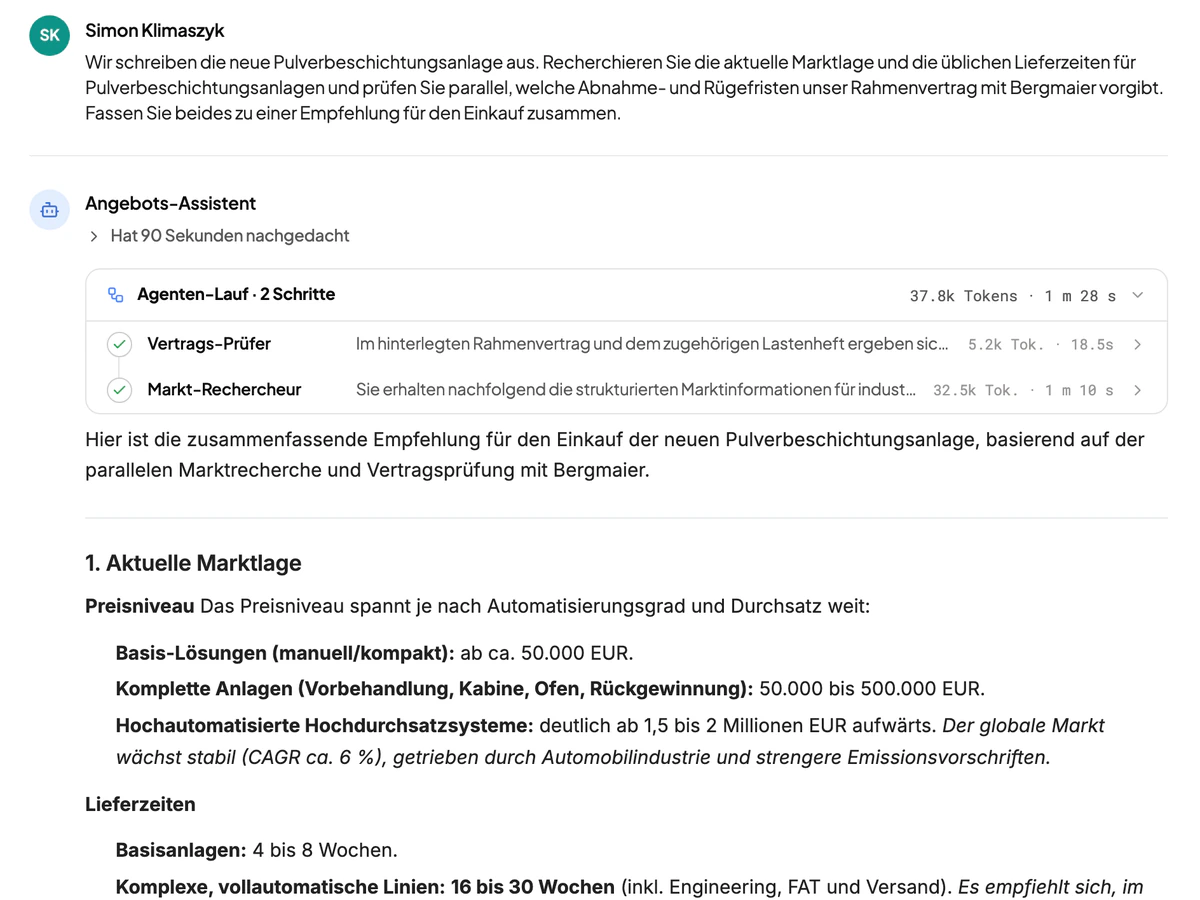
Agents can be built for many tasks. With our system, you can set up multi-agent systems with ease. That means agents call one another depending on the task and delegate your work between them.

The bidding team for a tender works in two agent runs: first the eligibility check and the costing in parallel, then the proposal writer – each with a short result and its duration.
Research
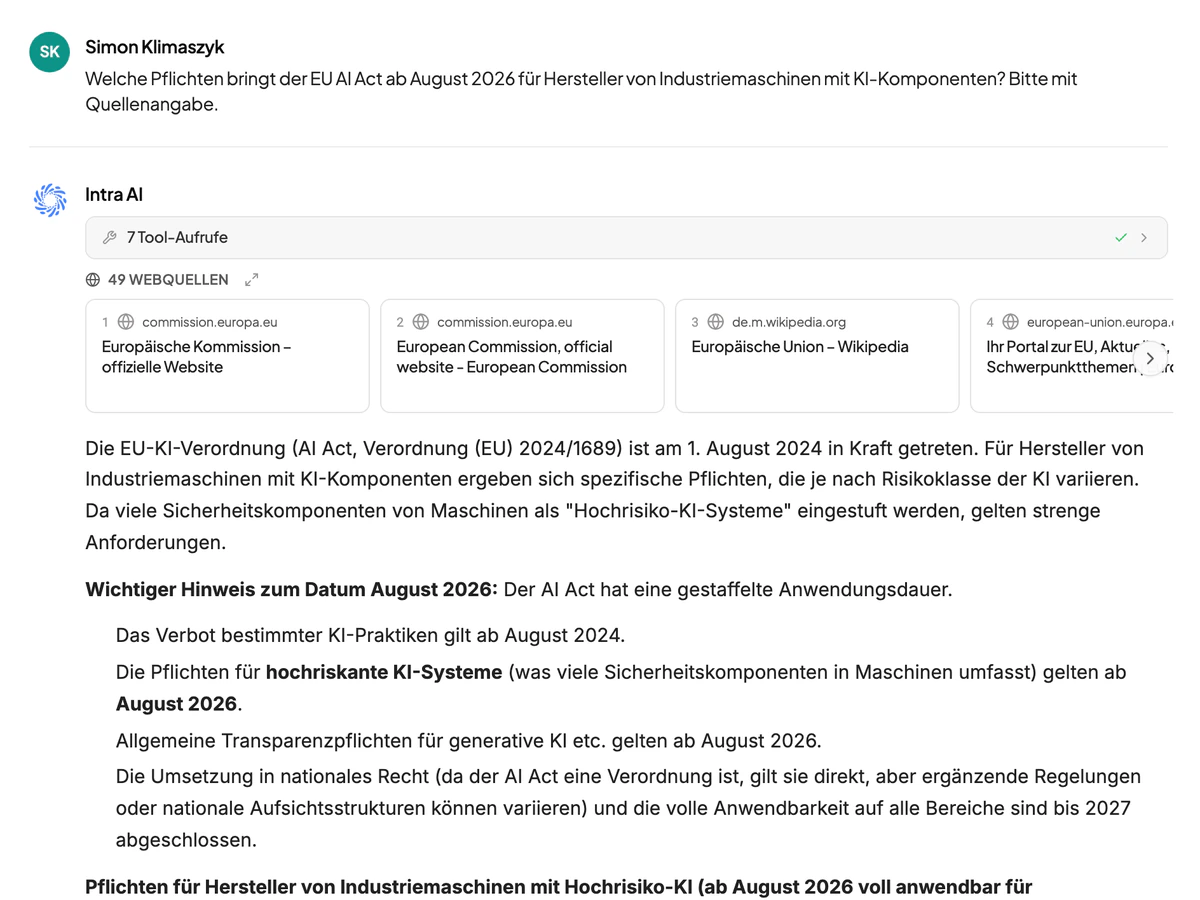
AI models are trained up to a certain point in time. However, if you still need up-to-date information or specific online sources, Intra AI can independently search the internet for information and present it clearly, complete with source citations.
The research assistant on the new EU Machinery Regulation: numbered web sources, the two web searches with their duration, and a three-sentence answer with citations.
Tables and files
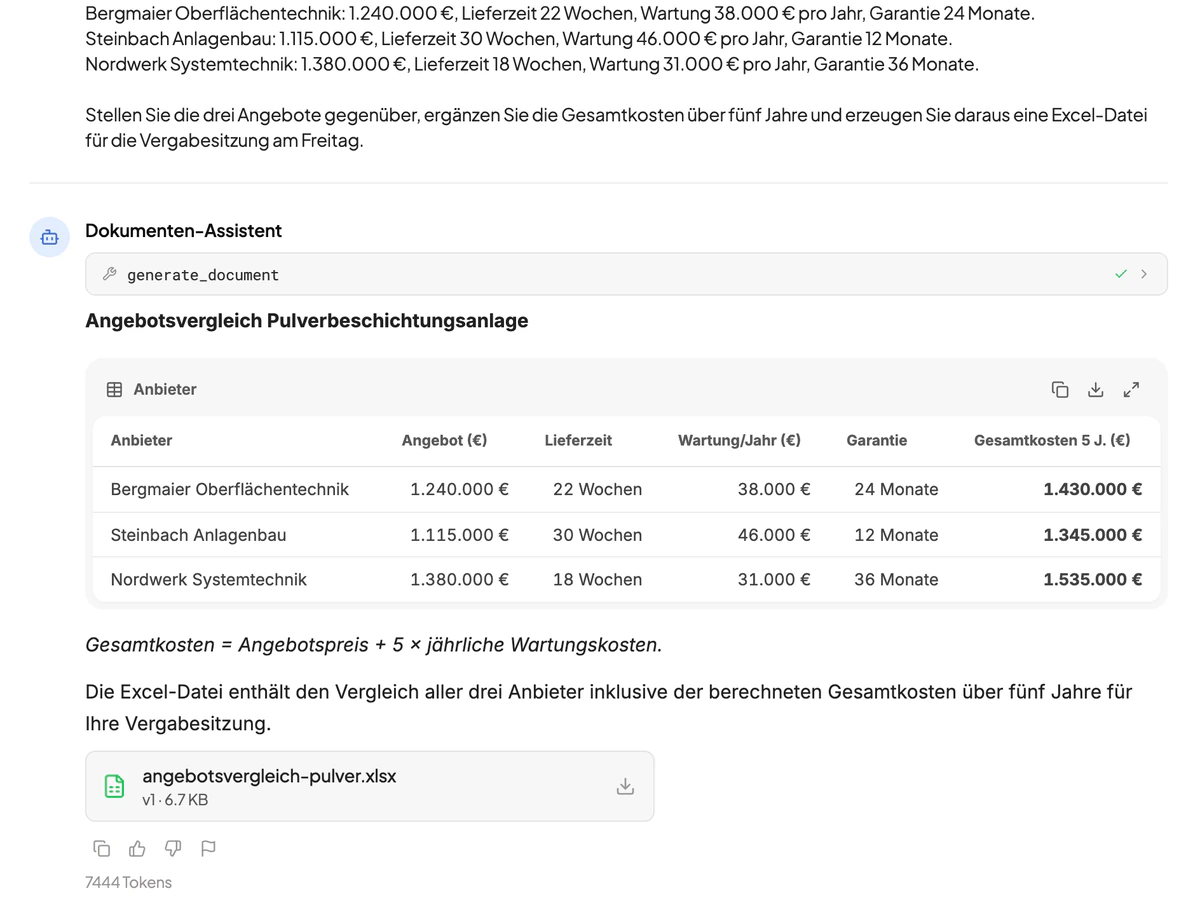
Do you need to quickly compare a few quotes? Intra AI can generate spreadsheets and documents – such as Word, Excel, PowerPoint, or PDF files – in just a few seconds and make them available for you to download.
A five-year comparison of three quotes for a compressed-air station as a table, with the generated Excel file and the PowerPoint decision memo below it for download.
Knowledge base
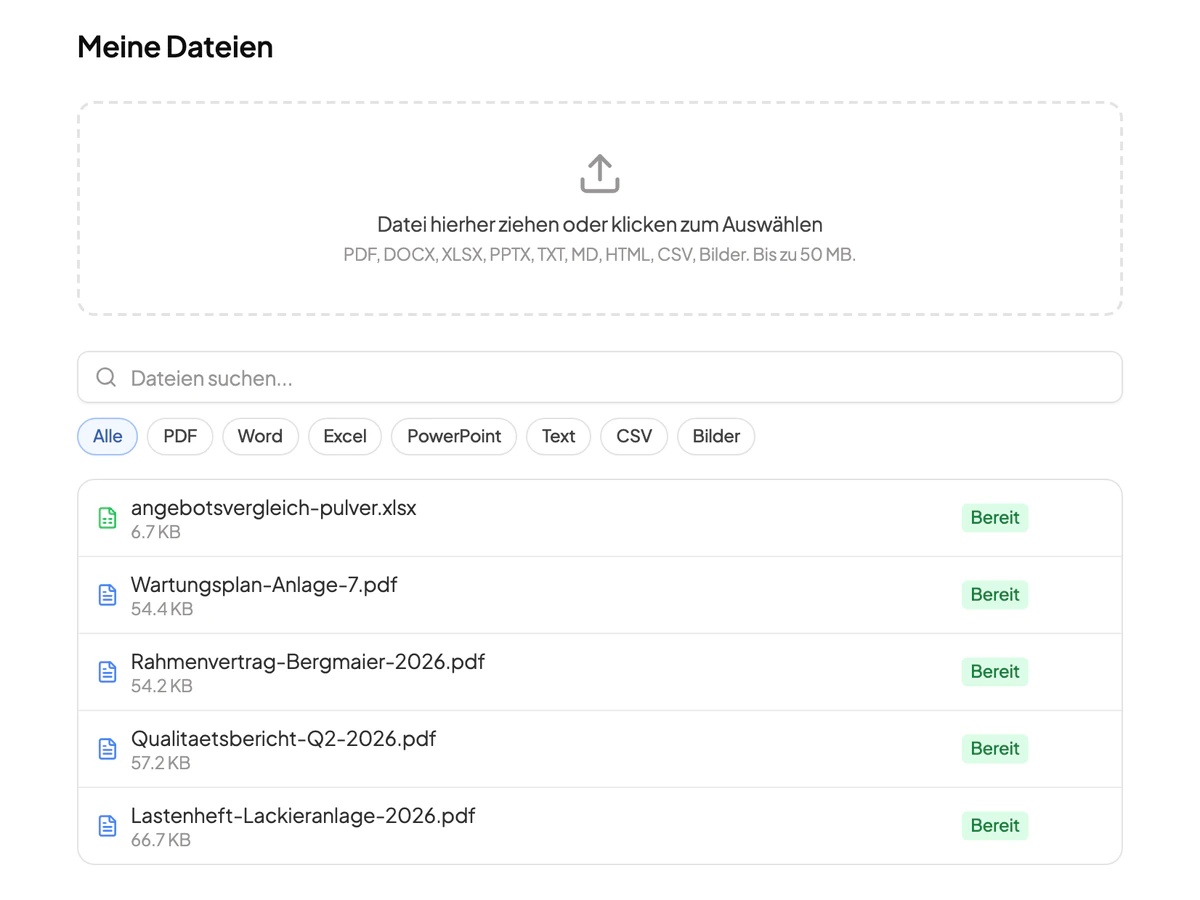
Thanks to our well-organized file system, you can see at any time which files are available to you on the platform and reuse them in a chat without having to upload them repeatedly.
The file library as a knowledge base: search, a file-type filter and folders for quotes, tenders, contracts, technical documentation and measurement data.
Projects and collaboration
Are you working on a project as part of a team? With Intra AI, you can manage conversations, files, and agents within projects. You decide who gets access and who doesn’t. New team members don’t have to start from scratch to build up their knowledge.
A fully shared project for a tender with its conversations and the tabs for files, members, agents and settings.
Calculate, visualize, and analyze
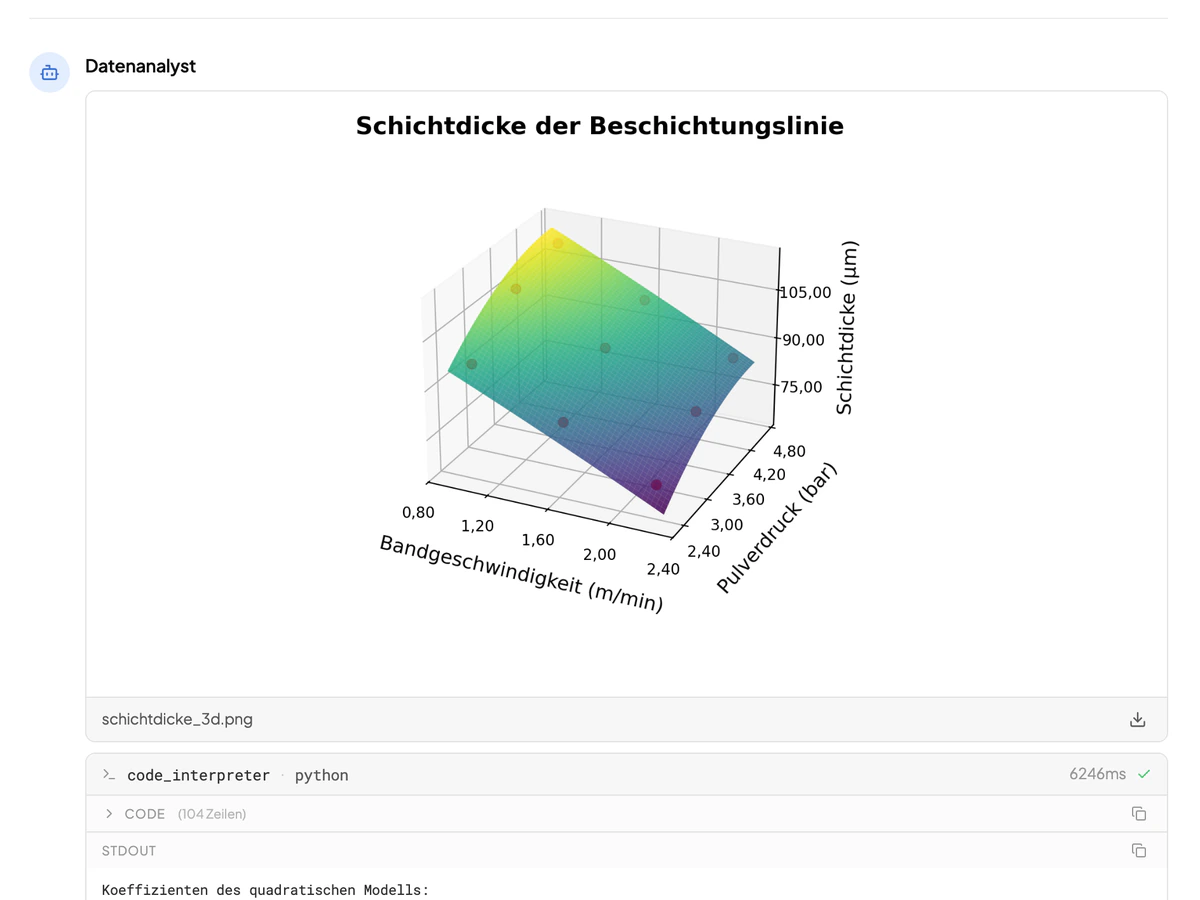
Intra AI can generate entire program code and execute it directly in the chat. Perform calculations, generate charts, or analyze your data graphically in other ways.
A heatmap of a compressed-air station’s mean output by weekday and hour, computed in the chat with Python from four weeks of measurement data and saved as an image file for download.

An agent library that grows with your business
With Intra AI, managing agents is a breeze. In just a few steps, you can create agents, share them, or try out the latest agents – all in a clear, centralized library.

The agent library: recommended agents, the recently used ones such as Technical Assistant Service and Bidding Team Tenders, and the library of global agents with category and description.
Build an agent without writing code
Our platform guides you through building an agent in just a few simple steps – no programming knowledge required. Test the agent as you build it and share it with your team right away.

The final step of the agent builder for Bidding Team Tenders: identity, instructions, knowledge, tools with three sub-agents, model and team, with the preview and its four conversation starters beside it.
Connect your systems with just a few clicks
With just a few clicks, you can log in to your favorite apps within our platform and start working with the integration right away. Each person connects their own account, so the roles and permissions of the respective system remain intact. Intra AI only sees what the logged-in user is authorized to see.
See every integration
The integration directory with filters and search: nine cards from Confluence to Google Sheets, some marked connected, some offering to connect.
Also included
Reading documents and images
PDF, Office, text and email files, along with images and scanned documents, can be dropped straight into the chat: summarized, compared, or mined for one specific figure.
Voice input
Dictate instead of typing. Speech recognition runs on the platform itself in Germany, and the audio is not stored.
Personal memory
Intra AI remembers work-related context from your inputs: your role, preferred tone, and ongoing topics. You can view what’s saved at any time and adjust it as needed.
Incognito mode
For a sensitive one-off question: the conversation is not stored, not made searchable and not taken into memory.
Sharing and export
Conversations can be shared within the organization or exported as PDF, Markdown, or JSON.
A model per task
In our standard configuration we run open-weight models hosted in Germany. You pick the one that suits per conversation and per agent, and the catalog keeps growing.
How it is operated
Processing in Germany
The platform, the databases and the AI computation run in German data centers. Only the optional web search uses a search service in the EU, and it can be switched off per instance and per agent.
One dedicated instance per customer
The application, the databases and the storage are not shared with other customers. On-premise is possible on request; the instance we operate is the recommendation, because it leaves you no maintenance burden.
Open-weight models as standard
Open models rather than vendor lock-in. We take up new models without you having to change platform – and your data is used to train models neither by us nor by our subprocessors.
Check it out live!
In a short demo, we’ll show you Intra AI and analyze your specific use cases. After the session, you’ll have the option to test the platform for 30 days free of charge and see for yourself.