
Messages and announcements
Messages is your personal inbox in Intra AI. It collects access requests for your agents, results and questions from your workflows, notices about your integrations, and announcements from your administrators. You read them there and answer what is waiting for you. You cannot write messages there yourself; for that, start a conversation.
Open your inbox
- Select Messages in the sidebar. A number next to it counts unread messages. A blue dot next to it means something is waiting for your answer.
- Pick a view at the top: All, Unread or Archived.
- Click a message. On a wide screen it opens to the right of the list. On a phone it takes the whole screen, and Back to messages returns you to the list.
In All and Unread, anything that needs your answer stays pinned at the top under Waiting for you, with a count. Everything else follows by day: Today, Yesterday, This week, Older. A blue dot marks unread messages.
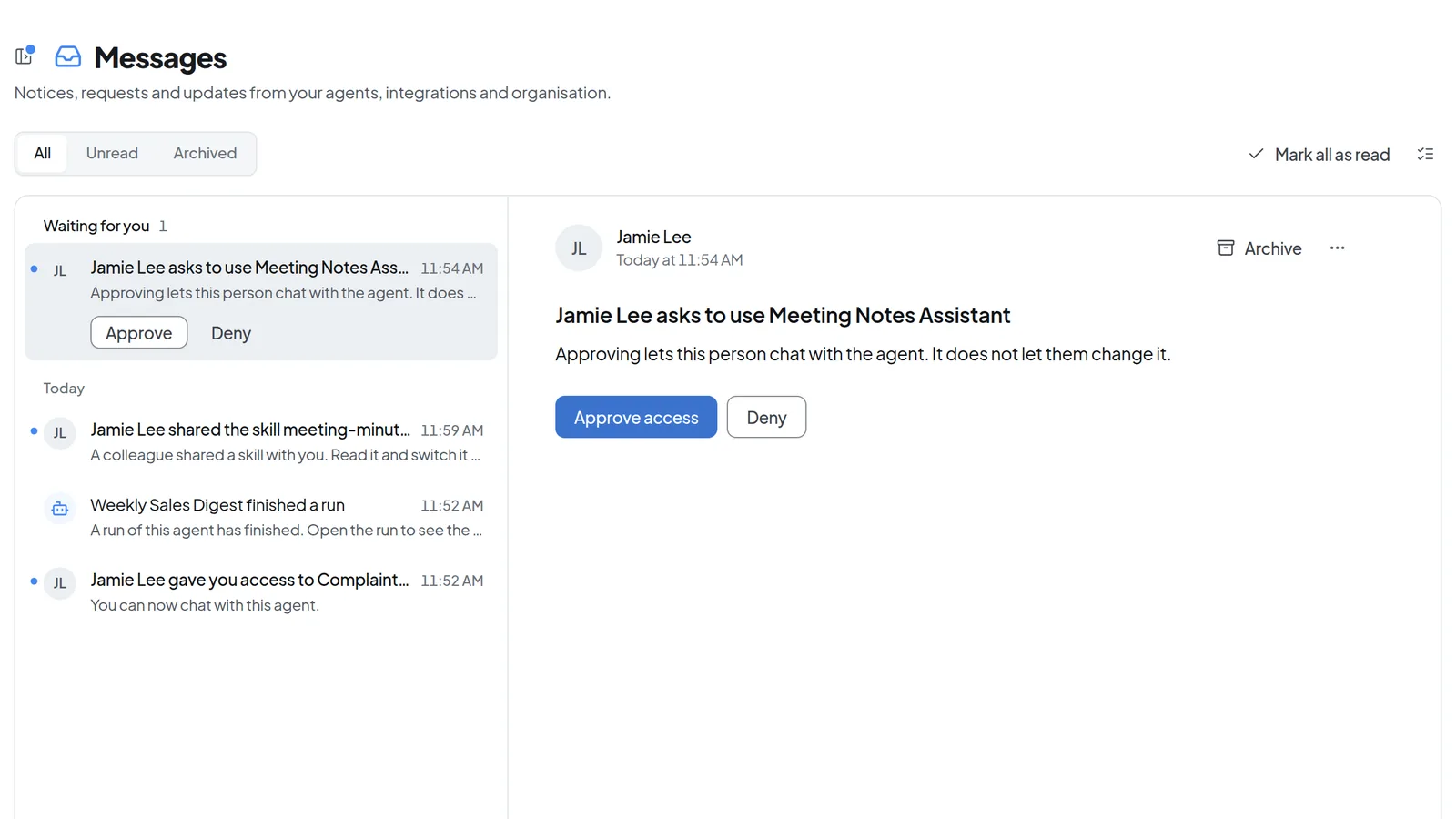 The Messages inbox pins open requests at the top under "Waiting for you."
A message counts as read once you click it. On desktop, Intra AI opens the top message for you, but it stays unread until you click it yourself. Mark all as read marks every message as read at once. Load more fetches older messages. If new messages arrive while the page is open, the list does not jump around. Instead, a Show new messages button appears. If you are working somewhere else in Intra AI, a new message shows up as a notice with Open message, or Review request if it needs your answer.
Answer an access request
When a colleague asks to use one of your agents, the request goes to you as the agent's owner.
- Open Messages. The request is under Waiting for you, for example "Jamie Lee asks to use Meeting Notes Assistant".
- Select Approve or Deny right on the row, or open the request and select Approve access or Deny there.
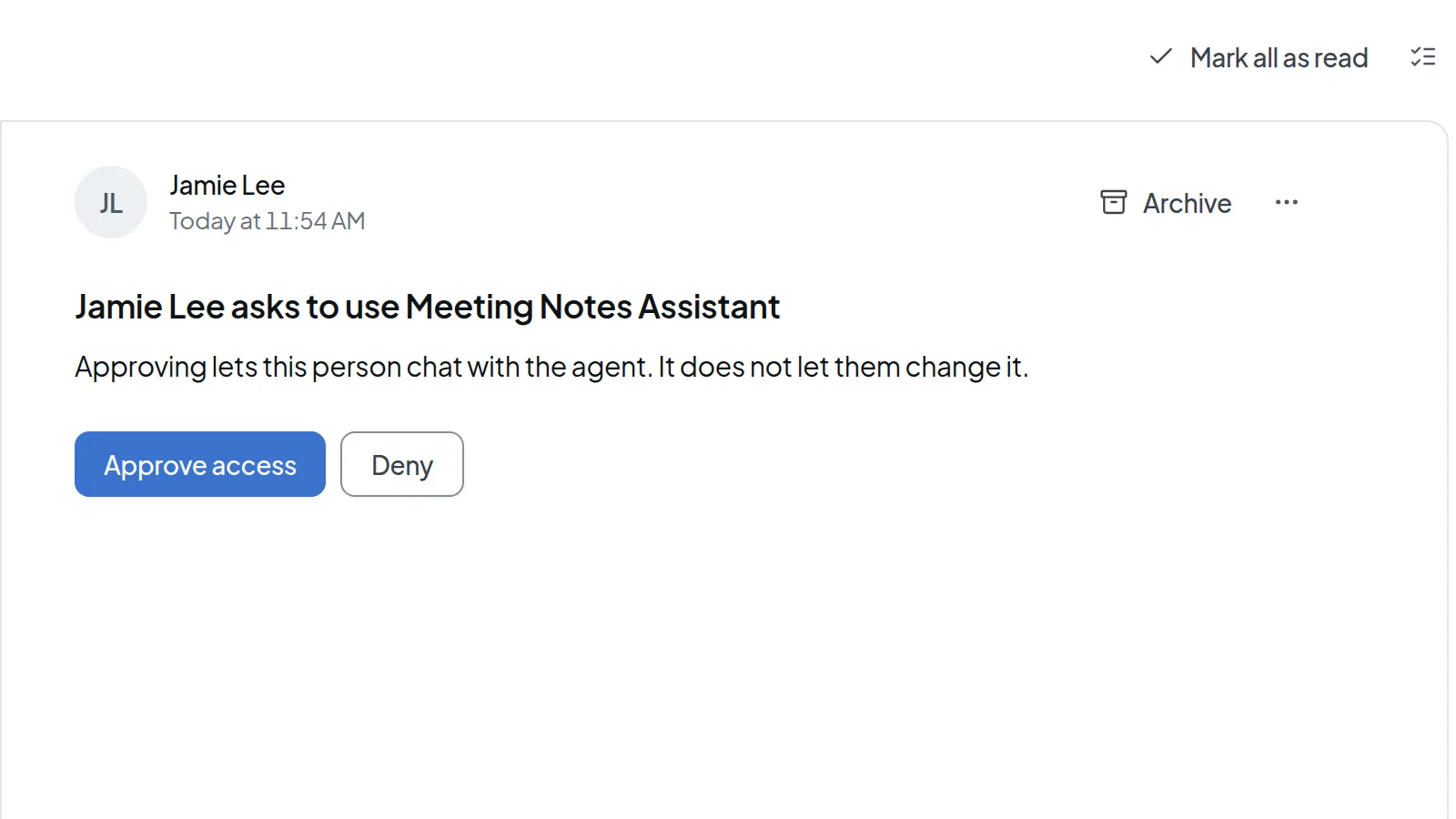 You answer an opened access request with Approve access or Deny.
The message then leaves Waiting for you and shows what you decided, for example "You approved access."
Approving lets the person chat with the agent. It does not let them change it. To give someone edit rights, share the agent with them instead (Sharing and publishing agents). When someone shares an agent with you, you have access straight away. The message that tells you, such as "… gave you access to …", needs no answer. Only older invitations still ask you to choose Accept invitation or Decline.
What arrives in Messages
You can tell what a message is about from its title, for example "Weekly Sales Digest finished a run". Which messages you get depends on what is switched on for your instance. Workflows, for example, are not available on every instance. In the table, "…" stands for the name of the agent, person or integration.
| Title (example) | What to do |
|---|---|
| "… finished a run" | Open run shows the result. Whether you get this message depends on the workflow's Inbox notification setting: After every run, Only on failure (the default) or Never. |
| A sentence the agent wrote itself | The agent writes to you from a run, with its own title, its own text and its own buttons. |
| "… is waiting for your answer" | A run stopped to ask you something. Answer on the row or Answer in the run takes you there, and the run carries on once you reply. This message always arrives, whatever the setting above. |
| "… was paused after repeated failures" | Three scheduled runs in a row failed, so the schedule switched itself off. Use Open run to check the last run, then switch the schedule back on in the workflow. |
| "…: events are waiting for your decision", "… is waiting for your answer on an event" | Decide in the workflow opens the workflow, where you make the call. |
| "…: the agent's tools changed" | The event trigger stays paused until you approve with Confirm new tools. |
| "…: event trigger paused after many events" | Resume lifts the event trigger's pause. |
| "…: event trigger paused" | Open workflow shows why and what to do next. |
| "…: reconnect the account so events are checked again" | Reconnect the account on the integration page. Until then, the workflow checks no events. |
| "…: daily limit reached" | The remaining events run from 00:00. You set the limit in the workflow. |
| "… shared the skill … with you" | Open skill, then switch the skill on. |
| "Sign in to … again" | Sign in again on the integration page. |
| "Your monthly limit …" | Your organization set your monthly token limit. Your balance is in the sidebar. |
| The announcement's title | A notice from your administrators or from Intra AI. See below. |
You also get notices here about shared conversations, agents that were changed or retired, your problem reports, your templates and synced folders.
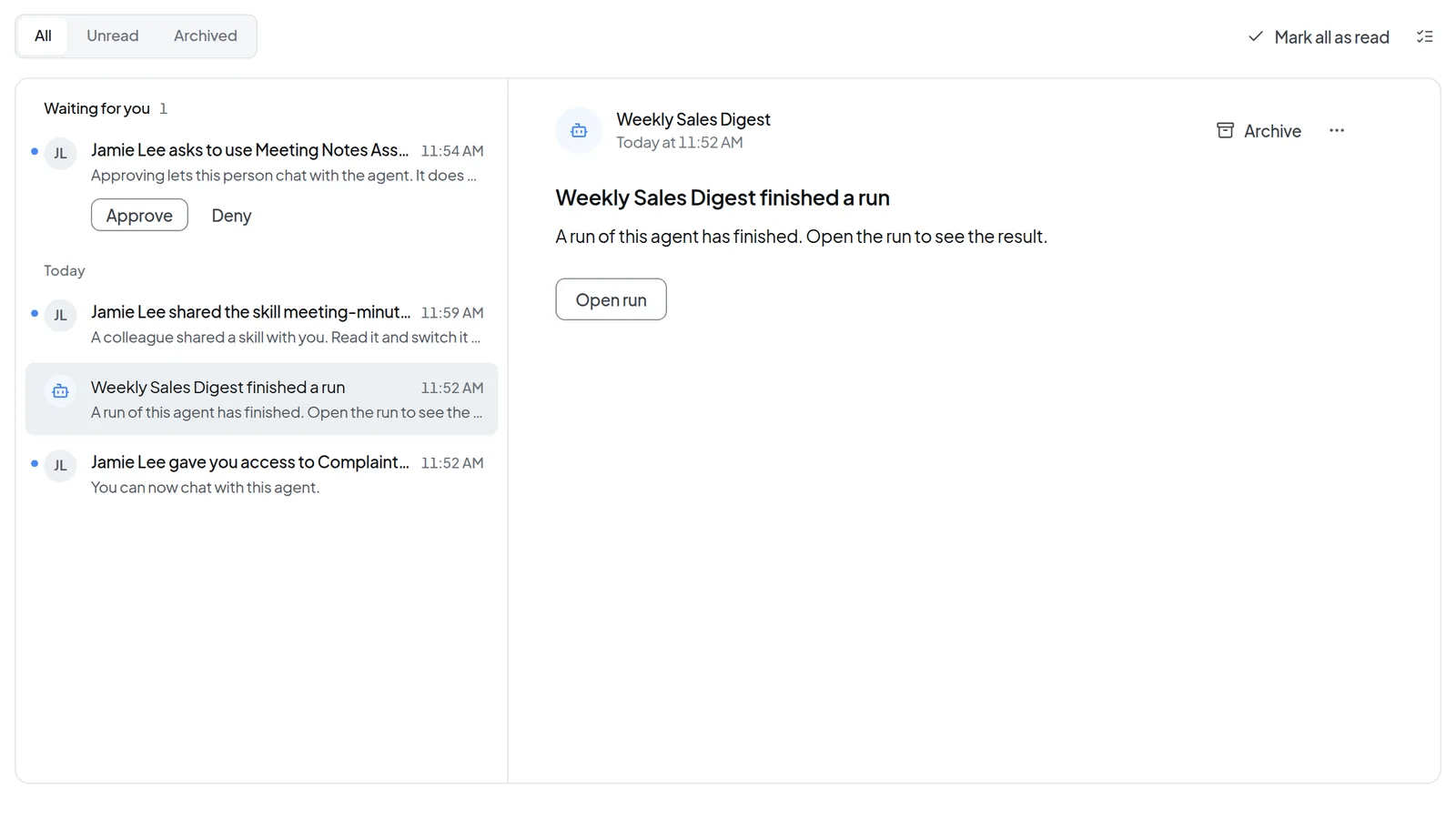 An opened agent message takes you to the result with Open run.
Run an action the agent prepared
Some messages from an agent contain an action it prepared, such as sending an email it drafted. You can recognize one by the line "Prepared by the agent". The action runs with your account, so you confirm it in two steps.
- Read the description of what the action will do.
- Select the button with the action's name. Intra AI asks whether to run it now.
- Select Run it now. Cancel backs out without doing anything.
- The message then shows whether the action was carried out or failed.
Each action can run only once. All your agents together can send you at most 10 messages of their own per day.
Archive a message and bring it back
- Open a message and select Archive. It disappears from All and Unread. A "Message archived" notice offers Undo for 8 seconds.
- To find it again later, switch to the Archived view.
- Open the message and select Move to inbox. It returns to All, marked as read.
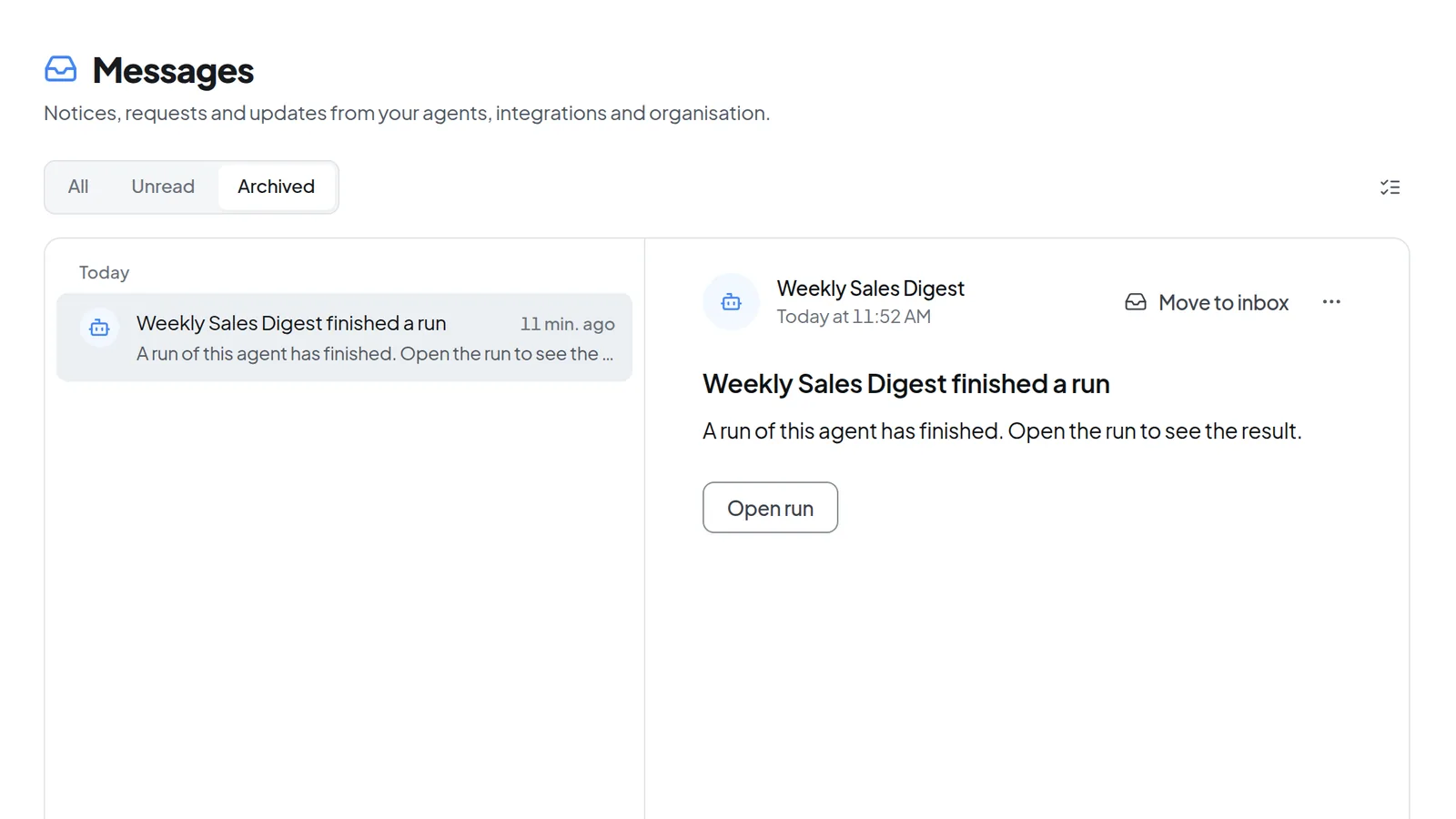 In the Archived view, Move to inbox brings a message back.
A message's three-dot menu (More actions for this message) also has Copy link and, outside the archive, Mark as read or Mark as unread. Only your own account can open that link.
Note: Intra AI deletes messages automatically after 180 days, archived ones included. Keep anything you need somewhere else.
Work on several messages at once
- Select the Select messages icon at the top right.
- Tick the messages you want, or choose Select all.
- Select Archive in the bar at the bottom. In the Archived view the button reads Move to inbox.
- Open More message actions (three dots) for Mark as read, Mark as unread or Delete. In the Archived view the menu only has Delete.
- Select Stop selecting when you're done.
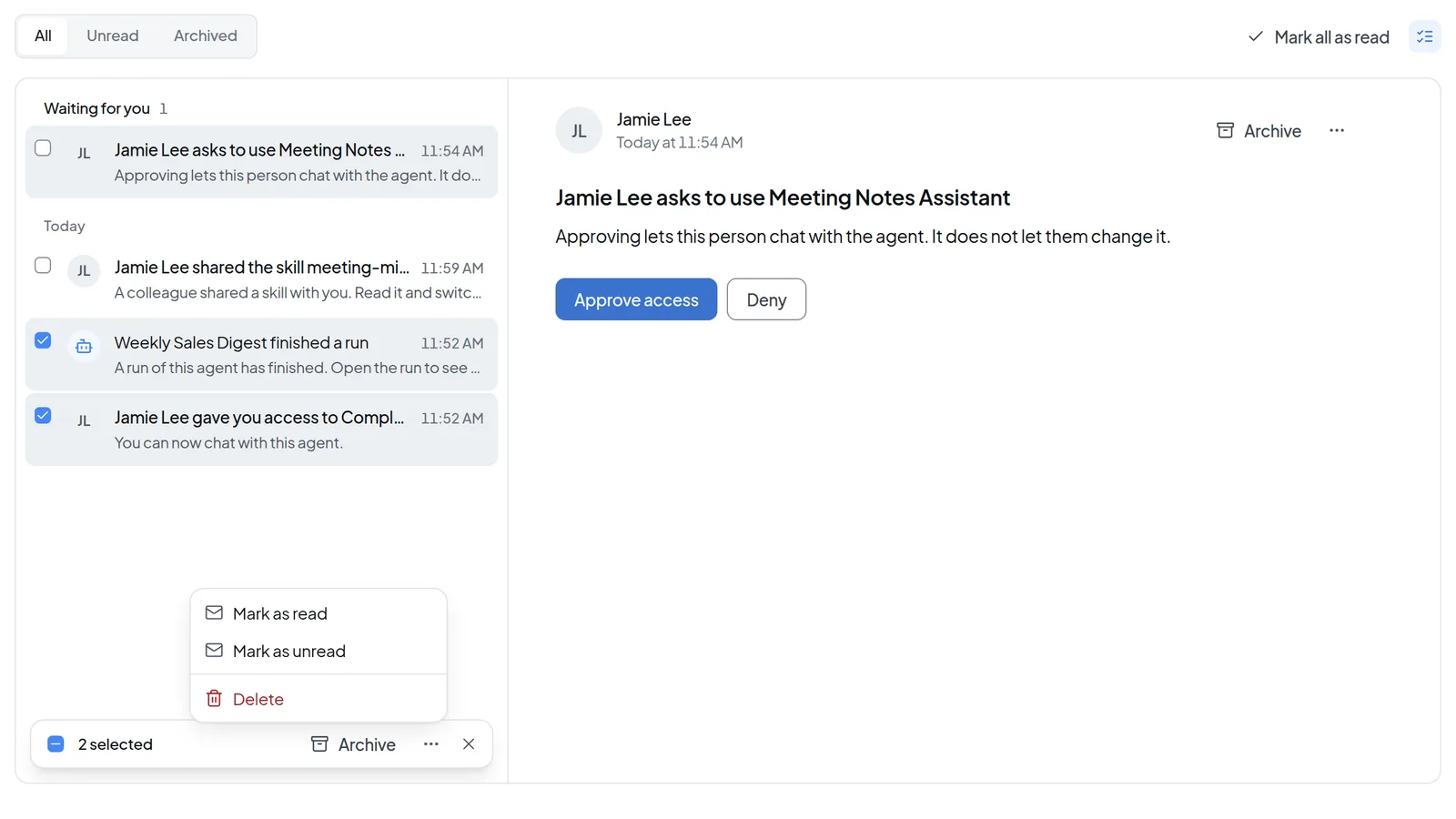 In select mode you tick several messages and archive, mark or delete them together.
Delete messages
Choose Delete from a message's three-dot menu and confirm "Delete this message?". Deleting several messages asks for confirmation too.
Warning: Deleted messages cannot be restored. If you only want a message out of sight, archive it.
You can't delete a request that is still waiting for your answer, so answer it first. When you delete several messages at once, those requests are kept, and Intra AI tells you how many.
Read announcements
Your administrators or Intra AI publish announcements about things like new features or planned maintenance. Each one is tagged Update, Maintenance or Outage. If announcements are switched off on your instance, you see neither the banner nor the tab in Settings.
- A current announcement shows as a banner at the top when you start a conversation with New chat. Click it to read the full text. If the announcement has a link, a button opens it, usually Learn more.
- Dismiss hides the banner.
- The same announcement also lands in Messages. Opened, it shows its tag, title and full text. In the list, only Maintenance and Outage are marked.
Manage announcements in Settings
- Open the account menu next to your name and select Settings.
- Open the Announcements tab. It lists every announcement, including those marked Ended or Archived.
- Select Open to read one in full.
- Use Hide from banner and Show in banner to control whether an announcement appears in the banner.
- Use the Receive announcements by email switch to turn email delivery on or off.
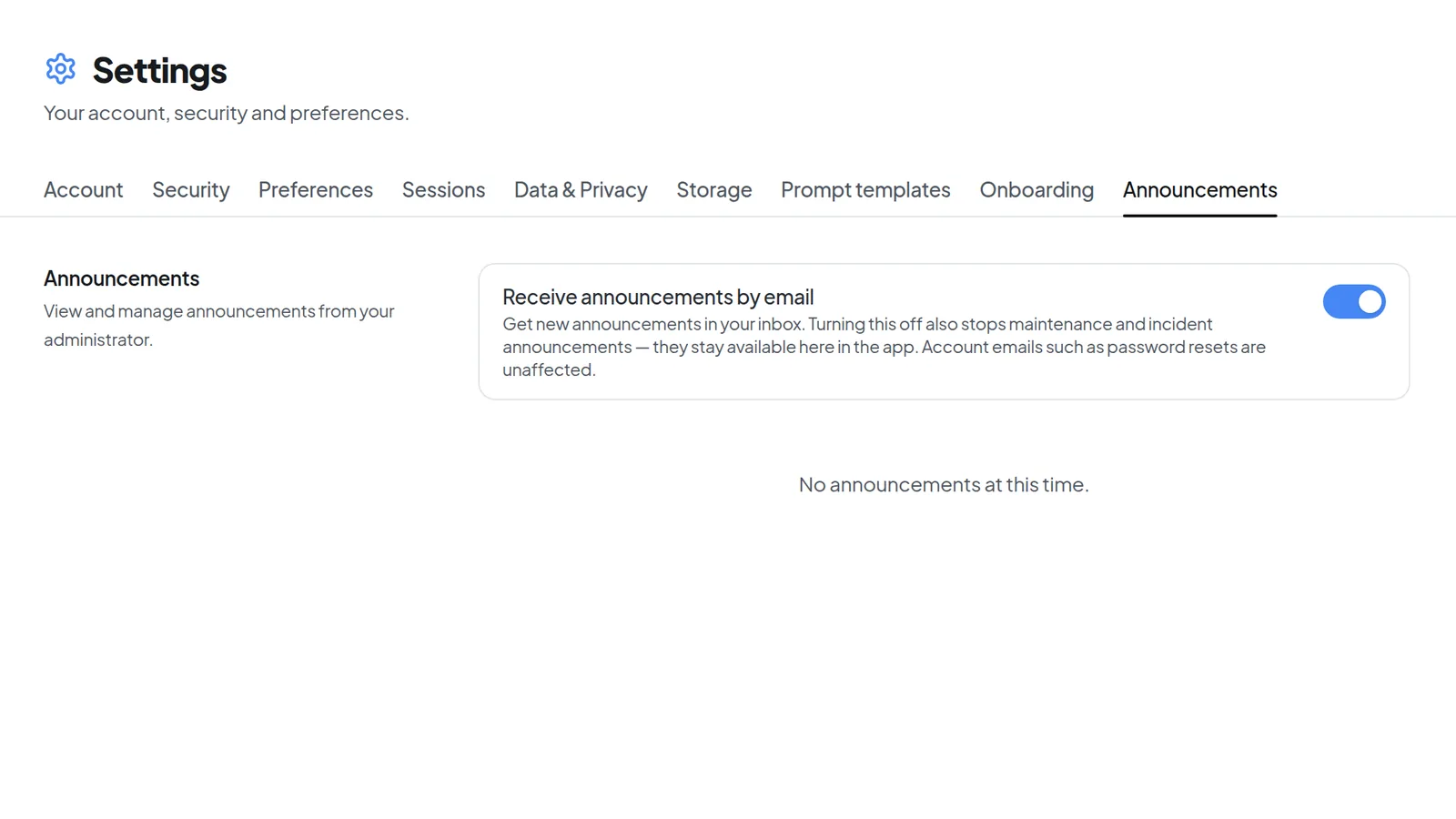 Settings > Announcements has the switch for announcement emails.
Turning email off also stops maintenance and outage emails. Those stay available in the app. Account emails such as password resets still arrive. The other tabs are covered on the Settings page.
Troubleshooting
- Messages is missing from the sidebar: the feature is switched off on your instance, and only Intra AI can switch it on. Ask your administrator to take it up with Intra AI.
- "Your messages could not be loaded.": check your connection and select Try again.
- "This message isn't here any more. It was deleted, or it is in the archive.": you can also see this right after Move to inbox. Switch to All and the message is there.
- "Answer the request first, then it can be deleted.": the message is still under Waiting for you.